
@ mention your posts
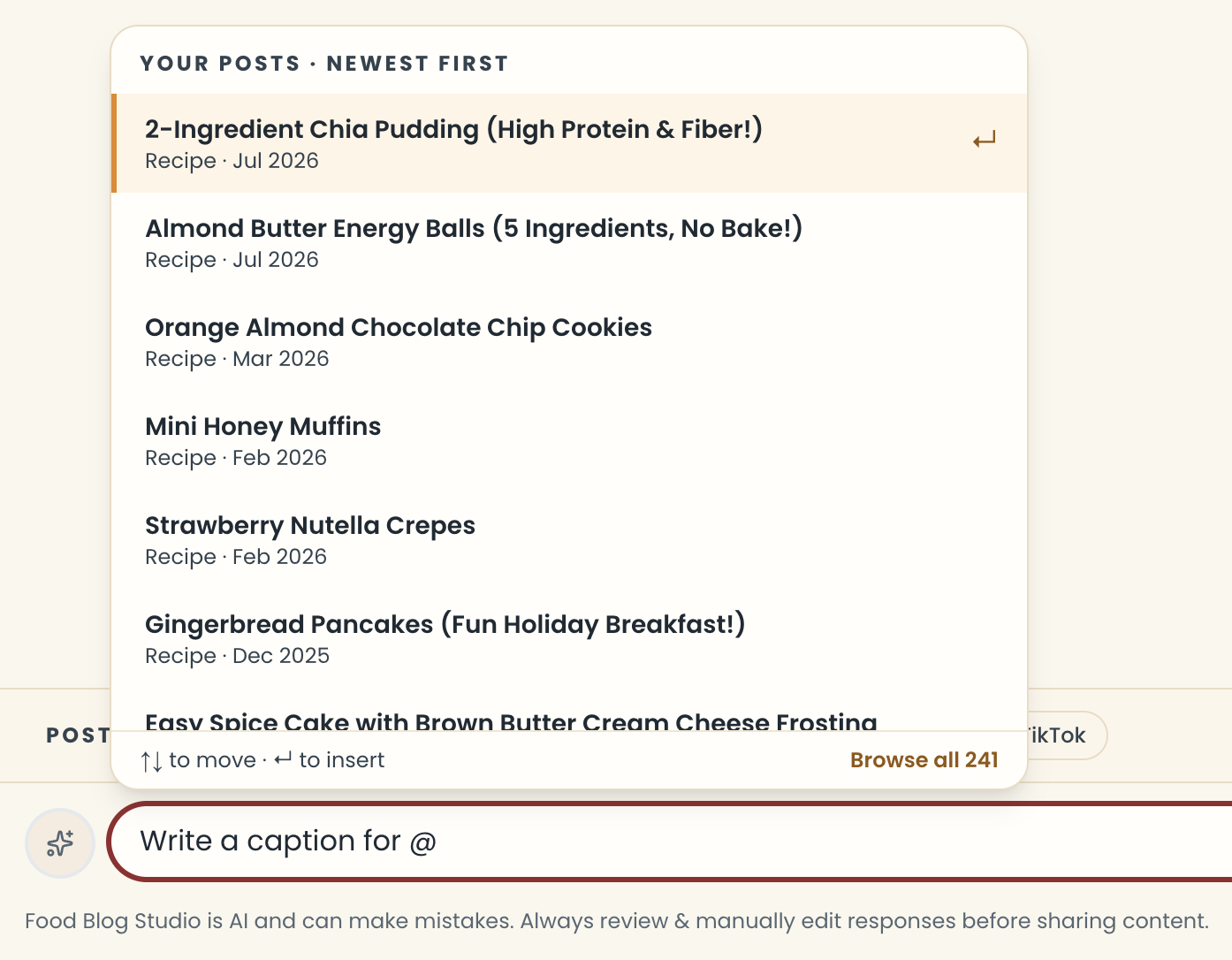
Once your blog is connected, you never have to paste a recipe again. Type @ and pick the post.
- Type @ in the message box.
- Keep typing to search your posts, use the arrow keys and Enter, or click Browse all.
- The post shows up as a chip in your message. Add the rest of your message and send.
What the writer gets
- Every tool gets that post's recipe card, so you don't have to paste the recipe.
- Internal Linking gets the full post plus the links it already has, so it won't suggest links you already made.
More about @
- Press Shift+Enter in the list to add a post and start another @ right away.
- A post already in your message shows Added.
- Press Backspace once next to a post to select it, and again to remove it.
- You can tag several posts. Past 8, you'll see a note that the Writer may start skimming.
- A post is attached as it is when you send it, so the chat keeps it even if you later edit the post or disconnect your blog.
- Browse all opens your full list in Personalization.
Note
@ mentions need your blog connected through WordPress, not a sitemap. See Connect your blog.
Last updated October 12, 2026
Up nextBlog WriterStill need help? Send us a message at hello@foodblog.studio