
How your numbers sync
Analytics syncs your numbers from Google every day. Here's how to read the Synced note, why some days are missing, and how traffic sources are grouped.
What does the "Synced" note by the tabs mean?
At the right of the tabs, Food Blog Studio shows when your numbers last synced, like "Synced 3 hours ago".
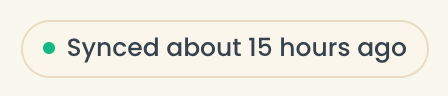
- Green: all good.
- Amber: the last sync is more than 40 hours old. It may have failed; it tries again on its own.
- Red "Reconnect Google": Google stopped accepting the connection. Click it to reconnect. See Google access expired.
Your numbers always end about 3 days before the last sync, because Google finishes its numbers a few days late.
Why is part of a graph missing?
Days before your synced history aren't shown as zero. The line stops, or the card says "not synced." Comparisons only show once your history covers the comparison dates.
Just connected? Your history loads over the next few hours. See Analytics looks empty.
What counts as each traffic source?
Food Blog Studio groups Google Analytics' sources into Organic Search, Pinterest, Social, Direct, Email, Referral, Paid, and Other.
- Pinterest always has its own group, separate from Social.
- Visits from newsletter tools like Kit, Mailchimp, Flodesk, and beehiiv count as Email.
- Paid ads count as Paid.
Hover a source name to see which Google Analytics sources it includes. On Traffic, open Every source and medium to see them all.
Why don't my sessions match Google Analytics exactly?
Sessions can run about 1% higher than in Google Analytics, because Food Blog Studio adds up each day on its own. Views match.
Last updated October 12, 2026
Up nextConnect Raptive (beta)Still need help? Send us a message at hello@foodblog.studio